TOP Laptops of 2026: The Best Upgrades for Your Budget
Table of Contents
- The Everyday Workhorse: Best for Students and Professionals
- The Power Gamer’s Dream: Smooth Frames Rates, Better Cooling
- Sleek Ultra Books: Battery Monsters & Beautiful Screens
- Summary: How to Pick the Right Machine
The laptop landscape in 2026 offers unprecedented variety. Between ultra-efficient processors, high-refresh-rate display tech, and integrated AI acceleration, choosing the right computer comes down to your specific daily workflow. Below is a detailed breakdown of the top models across every category that offer real performance to back up their price tag.
1. The Everyday Workhorse: Best for Students and Professionals
If your daily routine revolves around typing papers, managing spreadsheets, streaming videos, and keeping twenty browser tabs open, you do not need to drop $1,500. Mid-range laptops have improved dramatically, offering speedy startup times and long battery life at accessible prices.
- HP Envy 14: Built with a sturdy aluminum frame and a comfortable keyboard, this model gives you a premium feel without the markup. It handles busy multitasking without slowing down or heating up.
- Dell Inspiron 14 Plus: Dell focused heavily on practical features for remote workers and students. It boasts a sharp 1080p webcam, clear microphones, and a quiet cooling system that stays silent during calls.
2. The Power Gamer: Smooth Frames Rates, Better Cooling
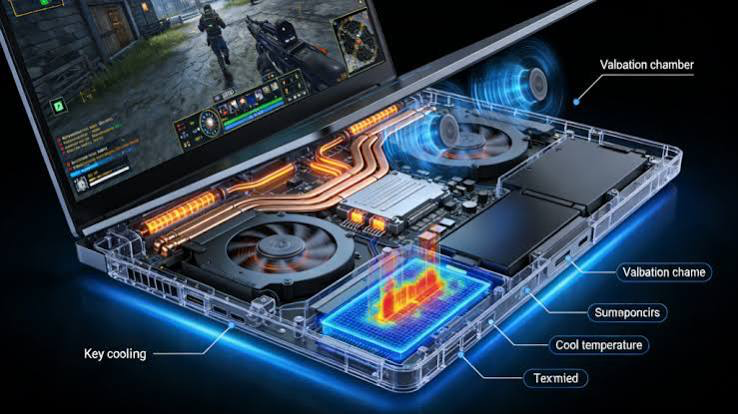
Gaming laptops used to mean loud fans that sounded like a jet taking off and batteries that died in 45 minutes. The 2026 lineup—powered by NVIDIA’s RTX 50-series GPUs—finally fixes most of those headaches.
- ASUS ROG Strix G18: A total beast of a machine. The 18-inch screen gives you massive screen real estate, and the high-refresh panel makes fast-paced games feel fluid. Just keep in mind it’s heavy—this is meant to stay on a desk more than a backpack.
- Lenovo Legion Pro 7i: If you want top-tier performance without the flashy “gamer” aesthetics, this is the one. It looks clean enough for a corporate conference room, but the cooling system lets you push high graphics settings without thermal throttling.
What to check for: Skip 1080p displays on gaming rigs this year. Aim for a QHD (2560×1440) resolution panel with at least a 165Hz refresh rate to get the crisp visuals these modern graphics cards are built to deliver.
3. Sleek Ultrabooks: Battery Monsters & Beautiful Screens
For folks who travel constantly or simply appreciate top-notch hardware design, premium ultrabooks remain the gold standard. You’re paying extra for the materials, display quality, and weight—or lack thereof.
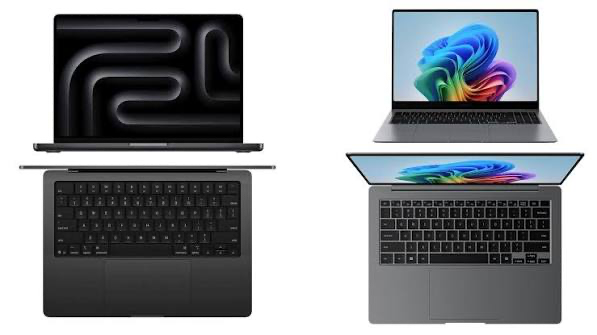
- Apple MacBook Air M4: Apple’s efficiency here is borderline ridiculous. You can genuinely leave your charger at home for a full workday and still have 30% left when you get back. It handles heavy workloads effortlessly without even needing a cooling fan.
- Samsung Galaxy Book5 Pro: If you prefer Windows, Samsung’s OLED panels are unbeatable right now. Colors pop, blacks are perfectly deep, and the touchscreen makes browsing and photo editing feel super natural.
Summary: How to Pick the Right Machine
Before making a purchase, focus on how you actually plan to use your computer:
- Match the Machine to Your Work: If you do not play high-end games or edit 4K video, save your money by picking a solid everyday model.
- Prioritize Comfort: Pay attention to keyboard feel, port selection, and screen brightness—these small details matter far more in daily use than raw benchmark scores.
- Shop Smart: High-end models frequently drop in price during mid-year sales events, making patience a great way to stretch your budget further.
Related Post